

You Decide How the Power Comes In | KIA Stinger CK 2.0T × I-BOOST 2 PLUS Real-World Tuning
2026/11/24 Shadow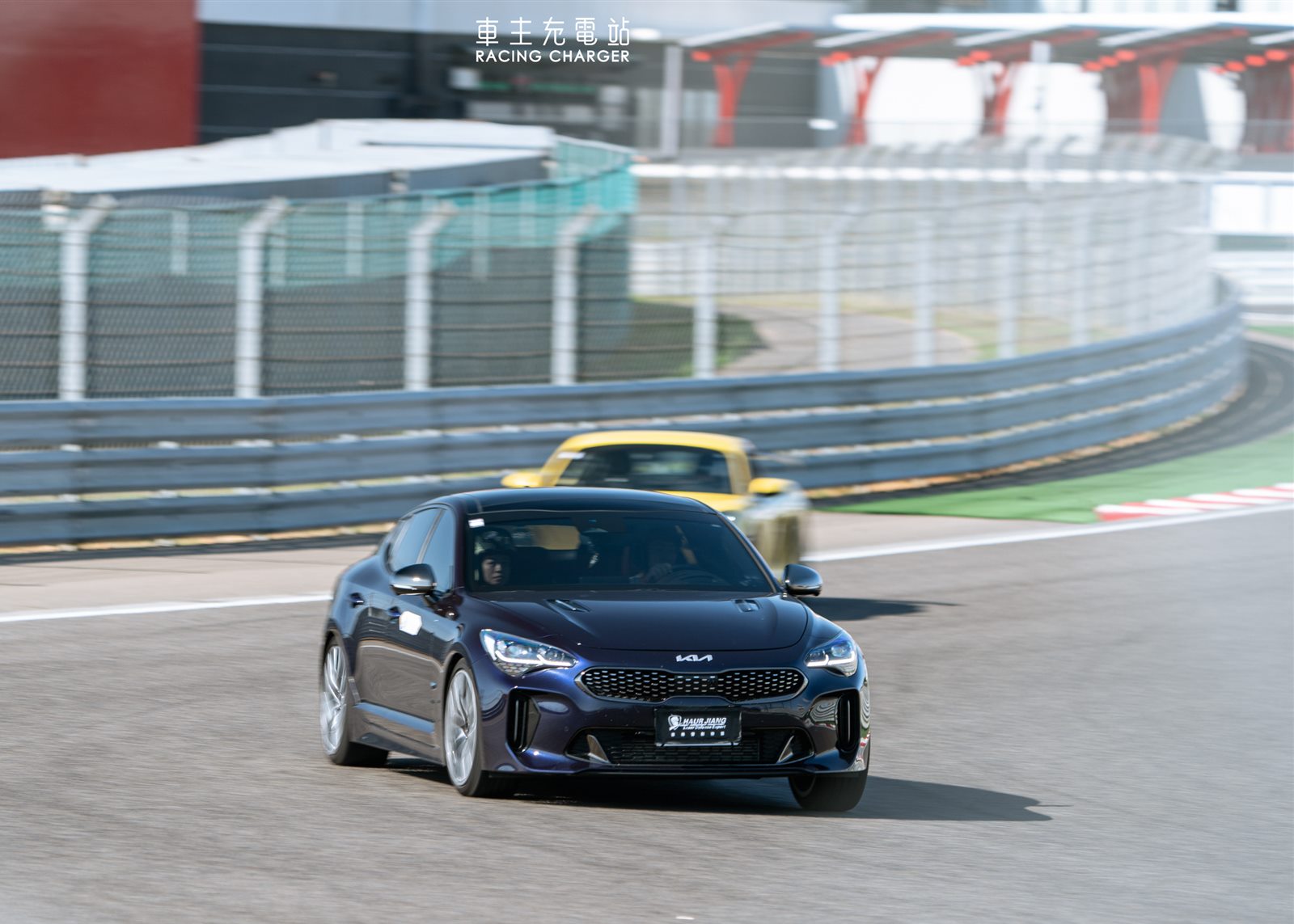
KIA Stinger CK 2.0T × I-BOOST 2 PLUS real-world tuning
More horsepower is not the only goal. It is about letting the power arrive the way you like it.
Every driver wants something different from a power upgrade. Some love a strong hit at low rpm, while others enjoy a pull that keeps building through the mid and upper range.
For this project, Shadow tuned a KIA Stinger CK 2.0T with the I-BOOST 2 PLUS piggyback tuning box. We kept the strong low and mid-range torque the car already delivers from the factory and focused on the range above 4,000 rpm, where power starts to fade.
Strong Off the Line, So Why Does the Top End Feel Flat?
The KIA Stinger CK 2.0T makes 255 PS and 36 kg-m of peak torque from the factory. Its power delivery favors the low and mid range, building solid boost from around 1,500 rpm, so everyday acceleration is already responsive.
Above 4,000 rpm, the factory ECU boost strategy and the turbo characteristics cause boost pressure to taper off, and torque drops with it. Hold the throttle through the revs and the top end starts to feel subdued.
This test car already runs a high-flow intake (a cone filter). It improves airflow, but it does not change how the factory ECU controls boost.
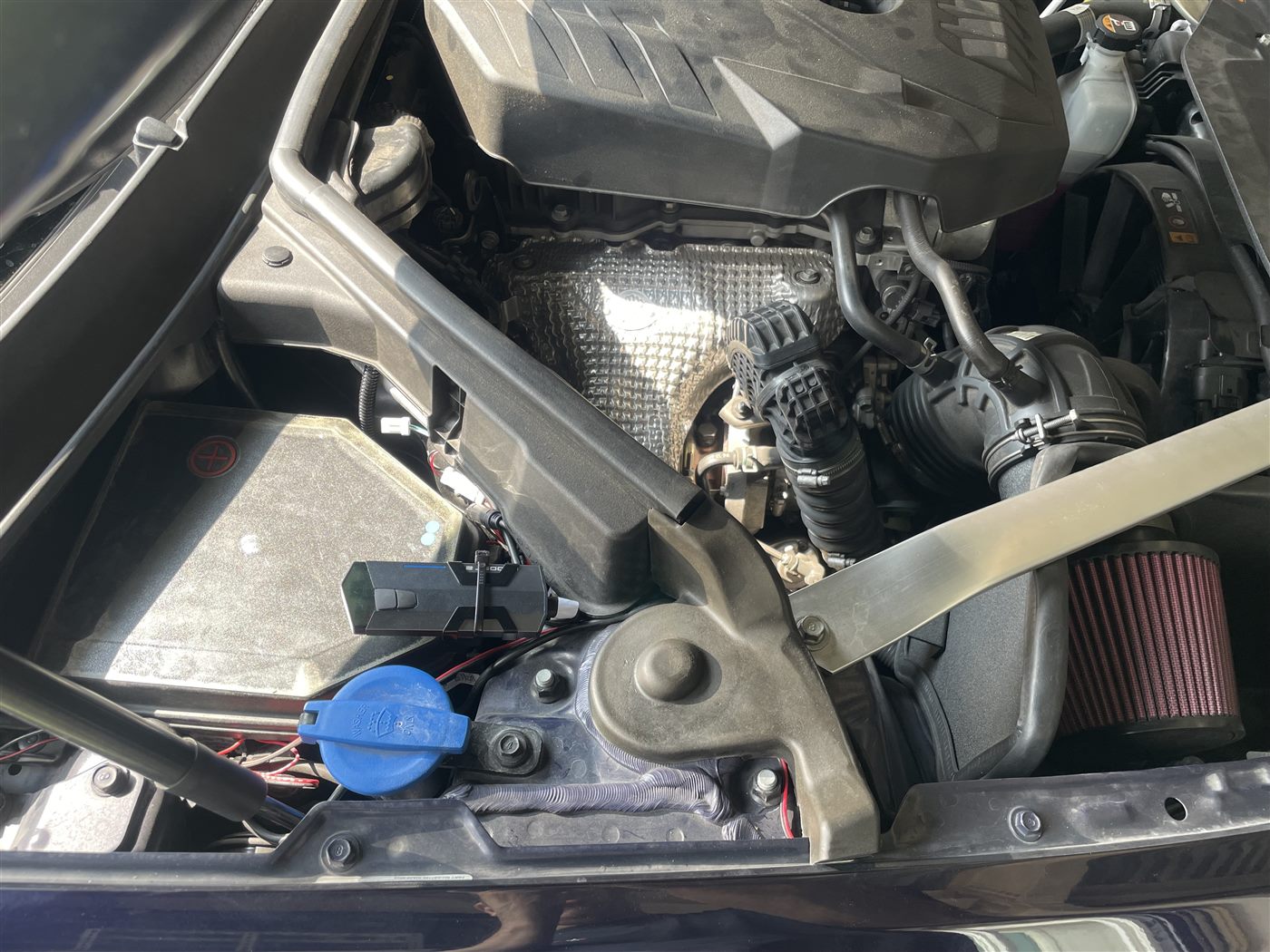
The low end is already strong. The goal this time was to make that pull last longer.
Dynamic Learning Is Where the Tuning Gets Interesting
After installation, the I-BOOST 2 PLUS app first runs a pressure calibration, then dynamic learning records the car's factory boost baseline. Based on the results, the system generates estimated boost settings for three modes: STREET, SPORT and RACE.
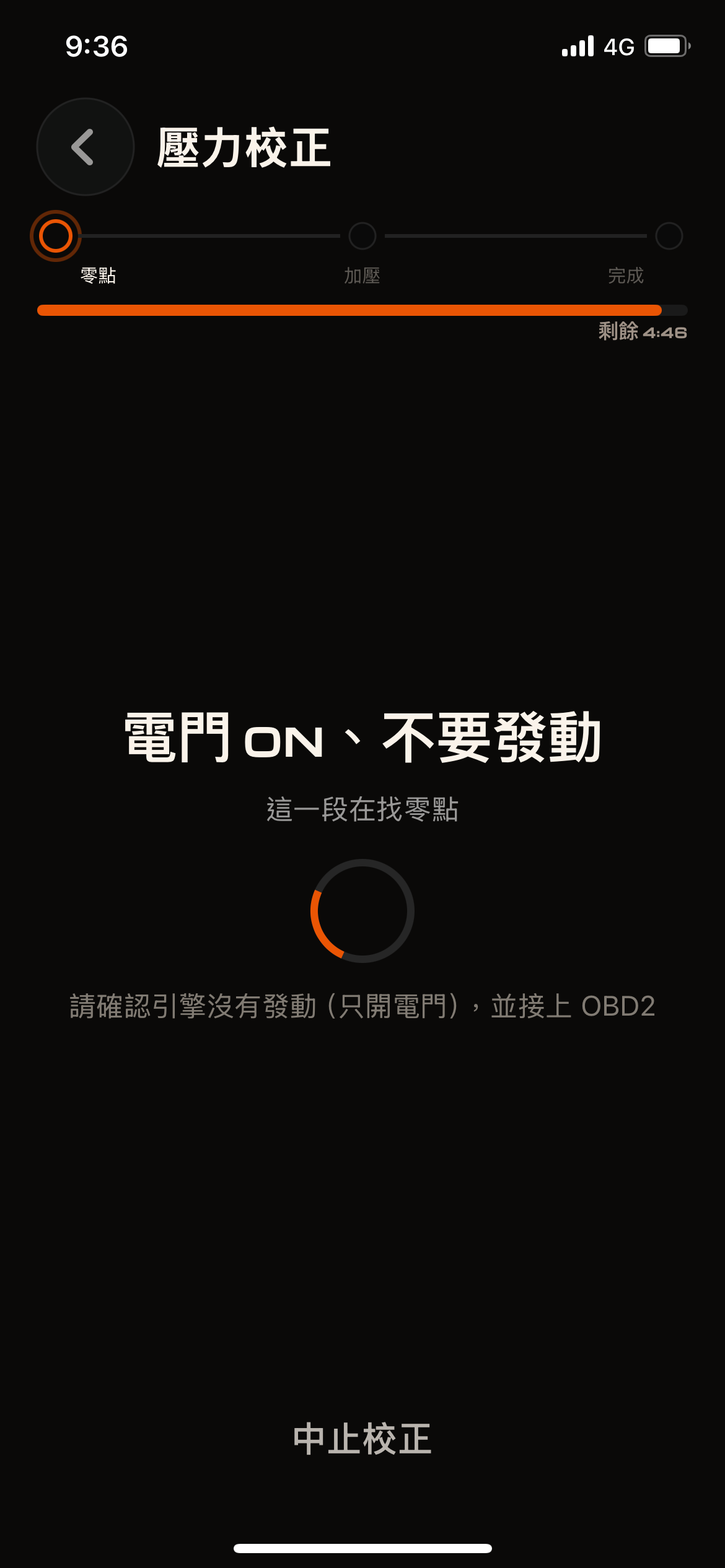
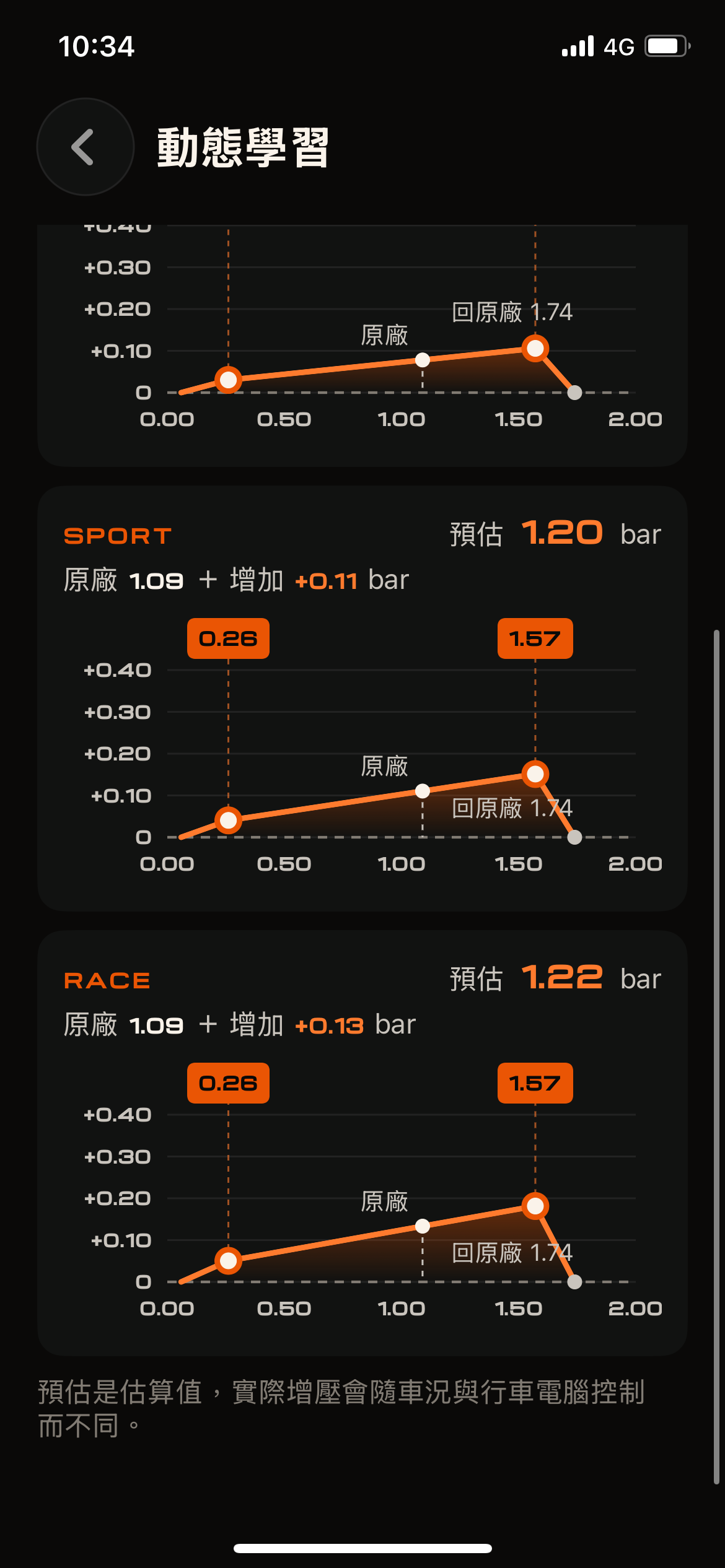
If you are new to power upgrades, you can simply use the settings the system provides. If you want to explore further, the app lets you adjust three parameters by hand:
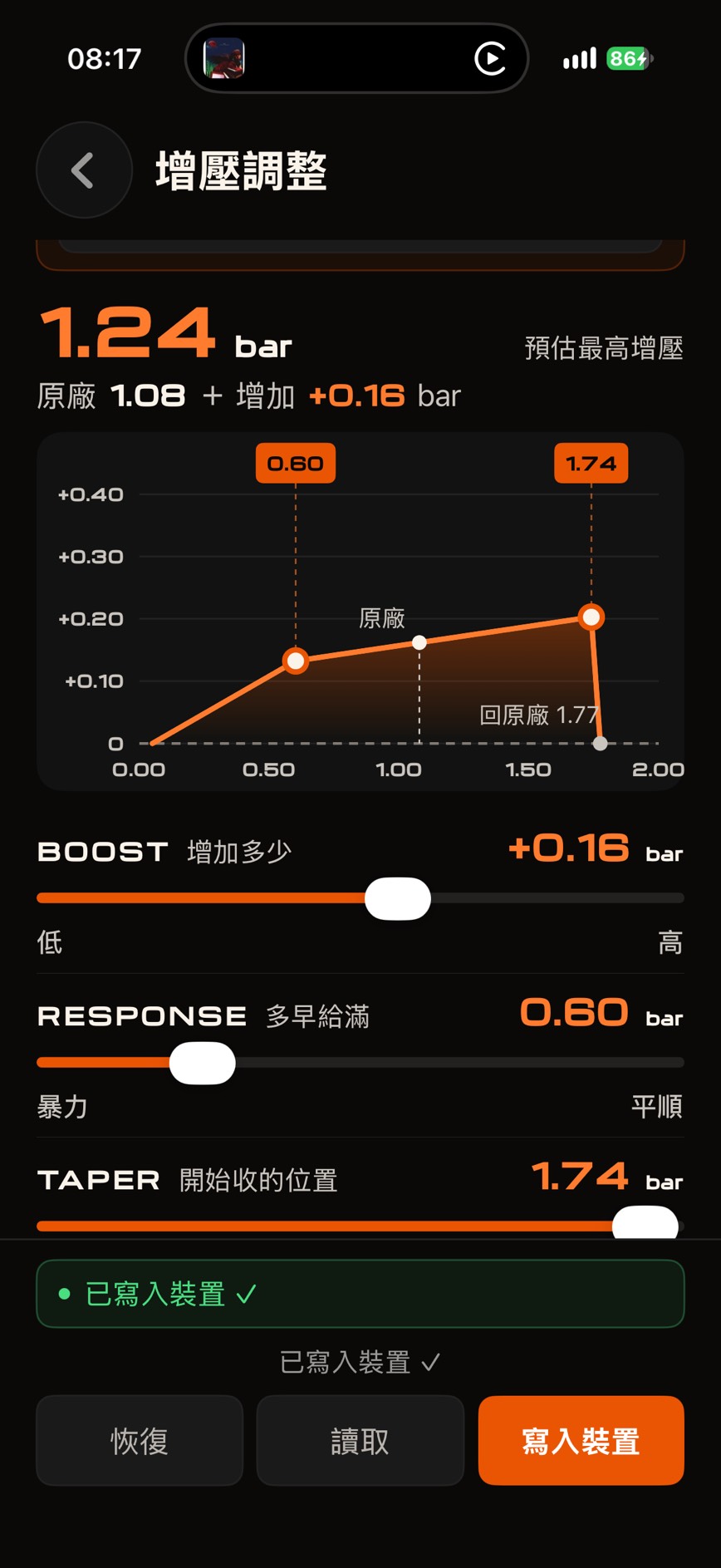
BOOST | Boost Amount
Sets how much extra boost is added.
RESPONSE | Gain Response
Shapes how the extra boost builds. Lower values bring in the full gain sooner for a more direct response. Higher values build it more smoothly, keeping the low end closer to stock.
TAPER | Taper Point
Sets where the extra boost starts to taper off and gradually return to the factory setting. Move it earlier to start tapering sooner, or later to hold the gain longer.
The app plots these settings as a boost curve, so you can see every change at a glance. No ECU programming skills are needed to adjust the setup to your car and your driving style.
Not Just How Much Power, but How the Power Is Added
After dynamic learning, the system suggested RESPONSE 0.26 bar and TAPER 1.57 bar, adding 0.11 bar in SPORT mode and 0.13 bar in RACE mode.
After driving the car, we felt its low and mid-range response was already plenty. Adding more punch up front would not necessarily make it nicer to drive, so we fine-tuned the system's suggestion by hand:
| Parameter | System Suggestion | Our Manual Setting |
|---|---|---|
| BOOST Boost Amount | +0.11 / +0.13 bar (SPORT / RACE) | +0.16 bar |
| RESPONSE Gain Response | 0.26 bar | 0.60 bar |
| TAPER Taper Point | 1.57 bar | 1.74 bar (back to stock at 1.77 bar) |
Factory peak boost (recorded during dynamic learning) 1.08 bar, plus +0.16 bar, gives an estimated peak boost of 1.24 bar.
The idea was to shape the extra boost around the factory boost characteristics. Raising RESPONSE from 0.26 to 0.60 bar makes the extra boost build more smoothly and keeps the factory feel at low rpm. Moving TAPER from 1.57 to 1.74 bar means the extra boost only starts to taper at a higher boost pressure, so the gain is held more completely.
Note that the horizontal axis of the app curve is boost pressure, not engine speed, so these setting points cannot be converted directly into specific rpm.
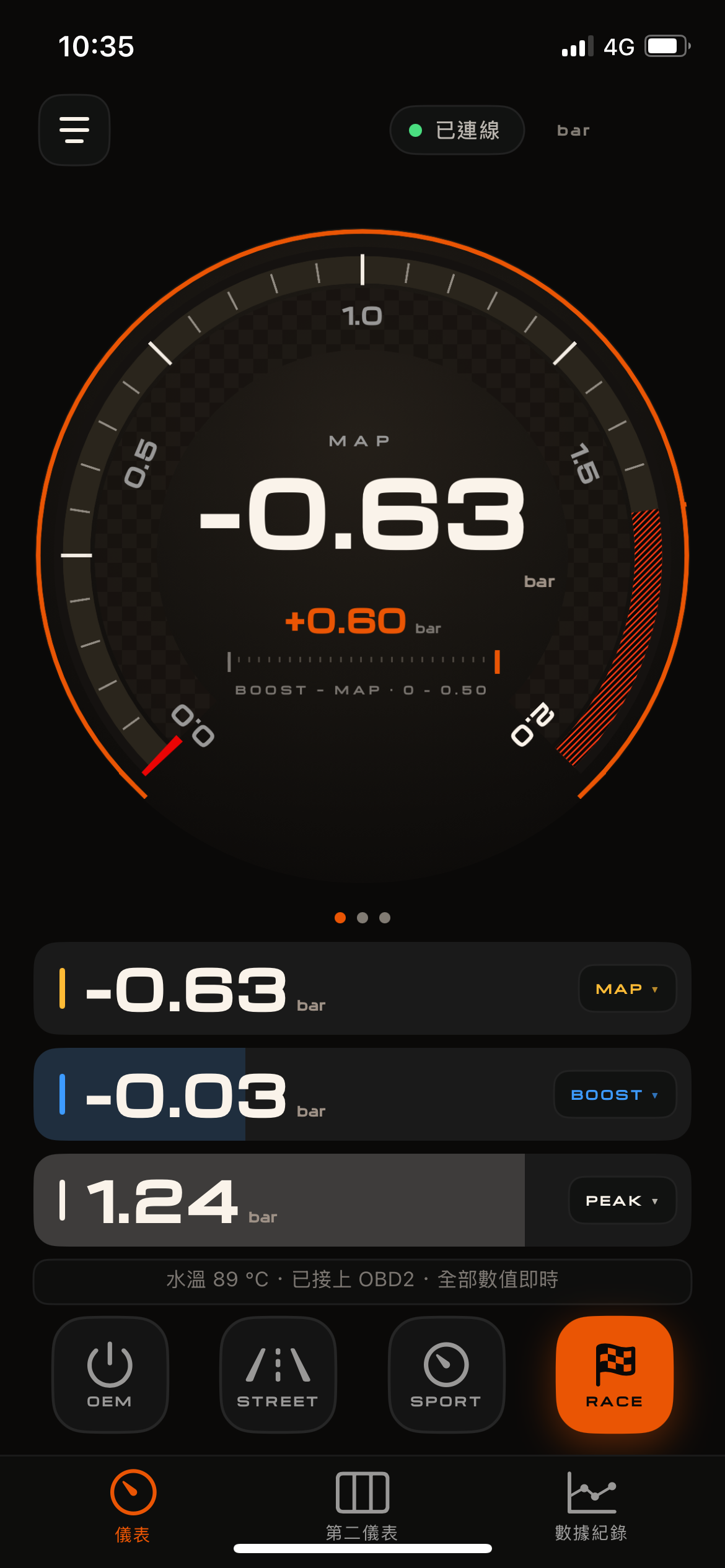
On the road, the biggest difference is not the moment you press the throttle. It shows up past 4,000 rpm, where the pull that used to fade keeps going. Acceleration through the mid and upper range feels fuller, and the dull, tapering feeling at high rpm is reduced. The app PEAK record showed 1.24 bar, matching the estimated peak boost.
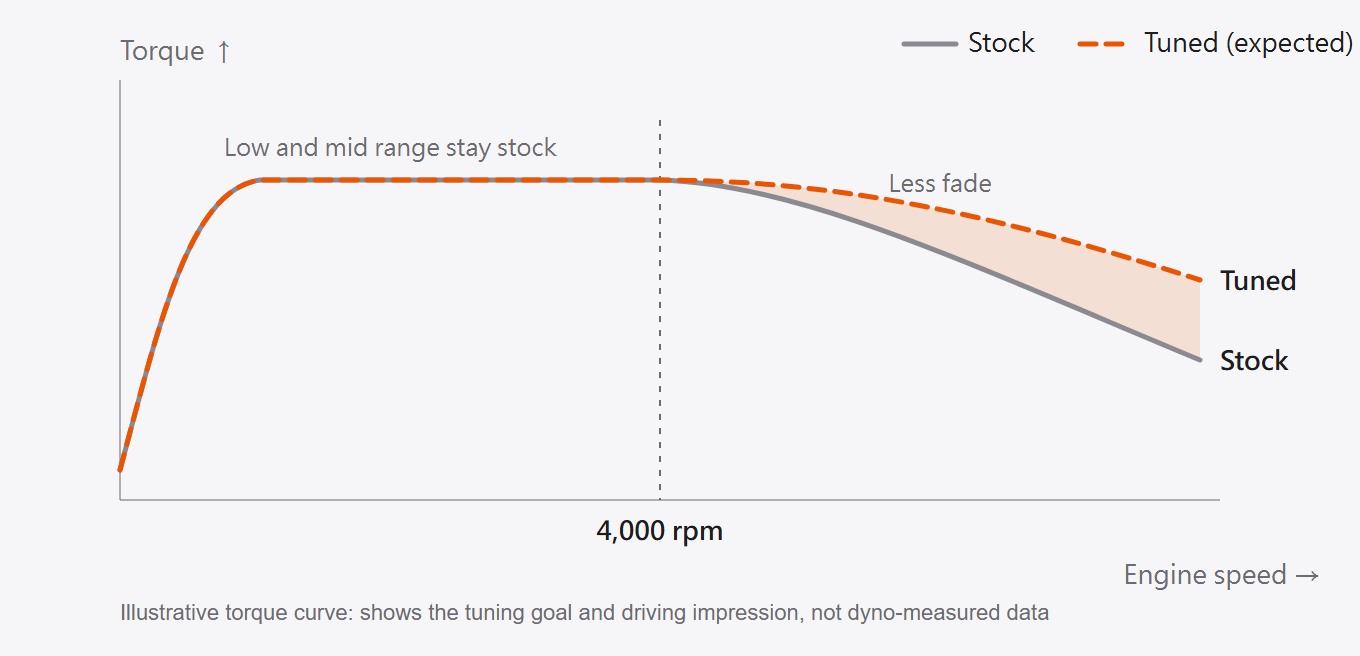
The low end is no more aggressive, yet the whole car is better to drive. That is the value of a custom boost curve.
Enjoy the Tuning and Become Your Own Tuner
The Shadow I-BOOST 2 PLUS is positioned as an entry-level, mild power upgrade, but entry-level does not mean being stuck with one fixed power setting.
With most ECU flash tunes, the settings are handled by a tuner, and owners have little room to fine-tune the details themselves. The I-BOOST 2 PLUS combines dynamic learning, a visual boost curve, real-time vehicle monitoring and data logging to lower the barrier to power tuning.
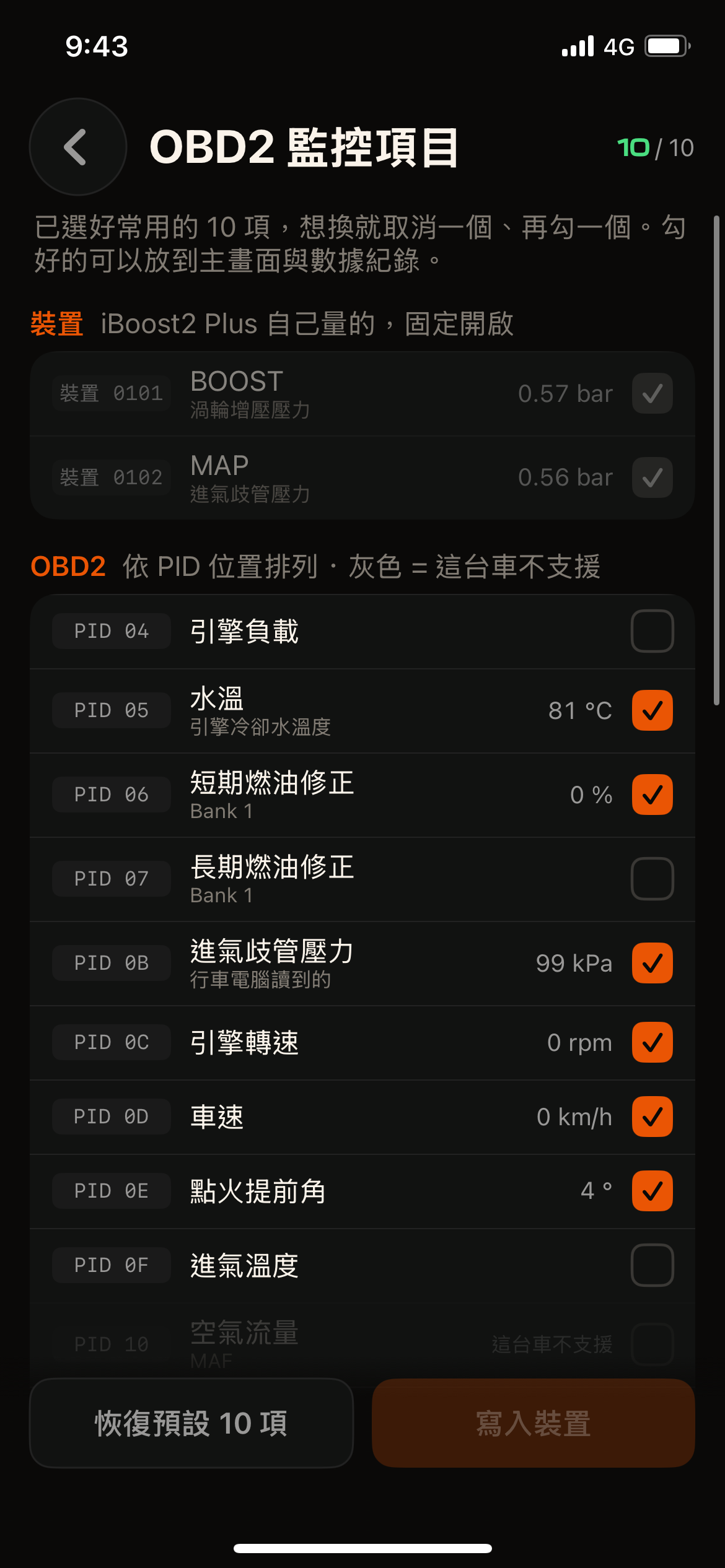
Start with the settings the system provides, try different boost curves in the app, and use the logs to see how the car responds. Within the system's adjustment range, you can work your way toward a power setup of your own.
Every adjustment helps you understand your car better and see more clearly what kind of power delivery you enjoy. That sense of accomplishment from taking part in the tuning yourself is the modification experience Shadow wants to bring to owners with the I-BOOST 2 PLUS.
Not Installed Yet? Try It First
The I-BOOST 2 PLUS app includes a simulation mode, so you can try adjusting the boost curve and see how BOOST, RESPONSE and TAPER change it.

Scan to download the app (iOS / Android) | APP Download Link
Shadow I-BOOST 2 PLUS. You decide how the power comes in.
This article shares a real-world tuning session and driving impressions. Boost values are estimates shown in the app based on dynamic learning, together with its PEAK record, and were not measured on a dynamometer. Actual performance varies with vehicle condition, environment and tuning settings.
Know you the best
SHADOW will not only be a pronoun of global automotive electronics products in the future, but also a good partner for modified car owners! Let more people experience the pleasure and convenience of modified vehicles through SHADOW's products!
Advantage
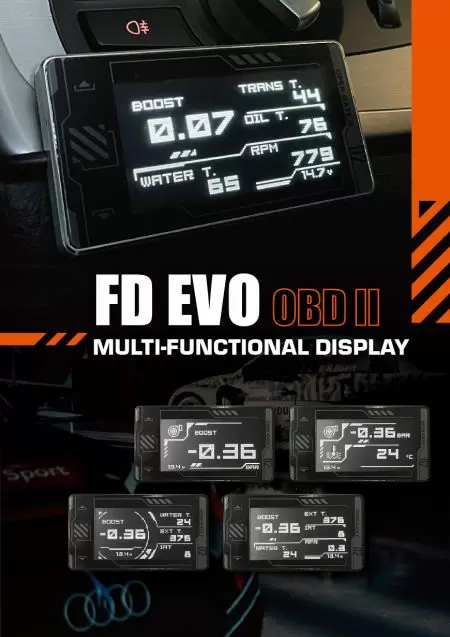
FD EVO OBD II Multi-functional Display The FD EVO Multi-Functional Display offers a variety of display modes and user-friendly operations. Utilizing OBDII CANBUS communication technology, it performs comprehensive vehicle scanning and monitors... Read More